
Access SQL Views and Saved Queries
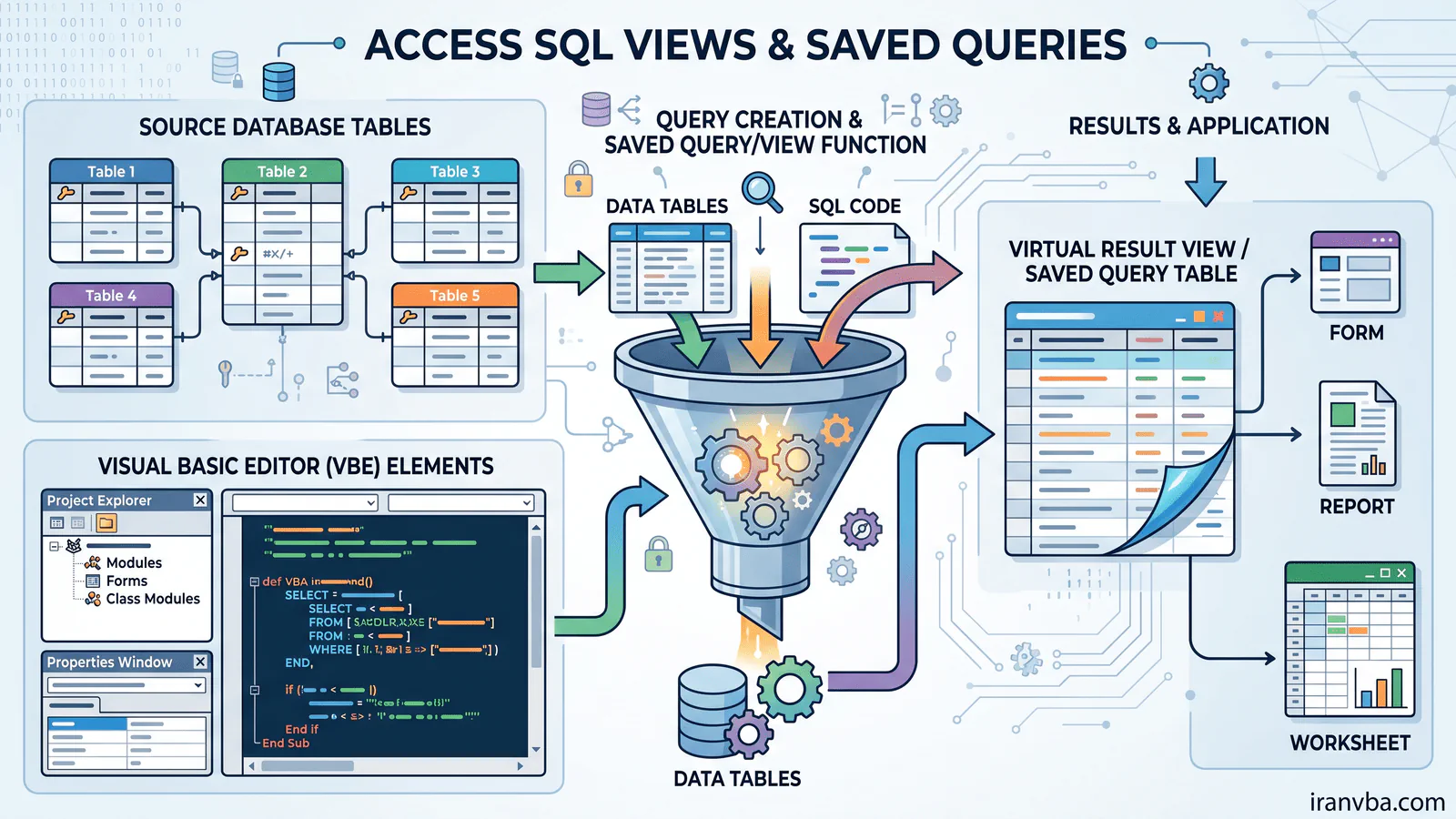
In many relational databases, a “View” is a virtual table based on the result-set of an SQL statement. In Microsoft Access, the exact equivalent of a View is a Saved Query (represented programmatically as a QueryDef). In this tutorial, we will explore how to manage and interact with Access SQL views and saved queries.
What are Saved Queries and Views?
A saved query is an SQL statement that is stored physically in the database container. It acts exactly like a View in SQL Server or MySQL. When you query a saved query, it runs in real-time, pulling fresh data from its underlying tables. You can use it as a data source for Forms, Reports, or even other queries.
Why is it important?
Utilizing saved queries is vital for database architecture:
- Code Reusability: Write complex JOIN and calculation logic once, use it everywhere.
- Security: Restrict what users see by binding forms to limited queries instead of raw tables.
- Performance: Access pre-compiles saved queries, making them execute slightly faster than dynamic SQL strings built in VBA.
Syntax & Usage
While Access supports the CREATE VIEW DDL statement through ADO/OLEDB connections, the most common and robust way to create them within the native Access environment is through the Query Designer or VBA’s DAO QueryDef objects.
Here is how you might define the SQL for a view/query:
SELECT Employees.LastName, Departments.DepartmentName
FROM Employees
INNER JOIN Departments ON Employees.DeptID = Departments.DeptID;
Practical VBA Examples
Let’s use VBA to programmatically create a permanent Saved Query (View) in our database:
Option Explicit

Sub CreateSavedQuery()
    Dim db As DAO.Database
    Dim qdf As DAO.QueryDef
    Dim strSQL As String
    Dim queryName As String

    Set db = CurrentDb()
    queryName = "vw_EmployeeDepartments"

    strSQL = "SELECT E.LastName, D.DepartmentName " & _
             "FROM Employees AS E INNER JOIN Departments AS D " & _
             "ON E.DeptID = D.DeptID;"

    ' Delete query if it already exists to prevent errors
    On Error Resume Next
    db.QueryDefs.Delete queryName
    On Error GoTo 0

    ' Create the new QueryDef (Saved Query / View)
    Set qdf = db.CreateQueryDef(queryName, strSQL)

    MsgBox "View/Saved Query created successfully!", vbInformation

    Set qdf = Nothing
    Set db = Nothing
End Sub
Code Explanation
In this VBA code, we instantiate the DAO.Database and a DAO.QueryDef object. We build the SQL logic joining two tables. To avoid runtime errors, we blindly attempt to delete the query if it previously existed using On Error Resume Next. Finally, db.CreateQueryDef registers the SQL string as a permanent object in the Access Navigation Pane.
Common Errors
- Trying to create a QueryDef with a name that already exists (Error 3012).
- Referencing a Saved Query that was renamed or deleted by a user manually from the navigation pane.
Best Practices
- Adopt a strict naming convention. Prefix saved queries with
qry_or views withvw_so developers instantly know they are not physical tables. - Instead of scattering dynamic SQL strings everywhere in your VBA code, rely on saved QueryDefs. It is much easier to maintain SQL logic in one central object.
Related Topics
- Access SQL Parameter Queries using VBA
- Optimizing INNER JOINs in Access
Frequently Asked Questions About Access SQL Views
Does MS Access have Views like SQL Server?
Yes, but in Microsoft Access, they are called Saved Queries. They function identically to Views by acting as a virtual table based on a SELECT statement.
Can I use CREATE VIEW syntax in Access?
Yes, you can execute a CREATE VIEW statement if you connect via ADO/OLE DB, but it is much more standard to use the DAO CreateQueryDef method in VBA.
Are saved queries faster than VBA SQL strings?
Generally, yes. Access pre-compiles saved queries and stores their execution plan, whereas dynamic SQL built inside a VBA string must be compiled every time it runs.
Can I update data through a saved query?
Yes, provided the underlying SQL constitutes an “updatable query” (e.g., standard inner joins where primary keys are clearly maintained). Aggregate or UNION queries are read-only.
How do I call a saved query in my code?
You simply refer to its name. For example, Set rs = db.OpenRecordset("vw_EmployeeDepartments") works exactly as if you were opening a physical table.
Conclusion
Treating complex SELECT statements as Saved Queries (or Views) cleans up your VBA codebase and centralizes your database logic. By utilizing the DAO QueryDef object, you can programmatically manage these vital database assets securely and efficiently.
Read More
Master Access SQL Constraints and Validation Rules
Access SQL DISTINCT: Remove Duplicate Results Easily
Access SQL ORDER BY: Sorting Query Results Quickly
Access SQL Data Types and Field Definitions Guide
Crosstab Queries with TRANSFORM and PIVOT in Access SQL